


About this lip filler previewWhat it shows, photo tips, privacy, and FAQ
Quick answer · Lip Filler simulator
What does an AI lip filler simulator do?
A lip filler simulator visualizes a possible change in lip volume, shape, and border definition while keeping the rest of the face stable. It does not determine product, volume, injection plan, or candidacy, and the actual result is not guaranteed.
Illustrative scope
A preference-setting tool, not an injection plan
Eva's lip-filler preview is proportion-aware. The purpose is to help a person point to a visual direction before a licensed injector evaluates anatomy and options.
- A proportionate change in visible lip volume
- Softer border definition while retaining natural texture
- No intended change to teeth, nose, face shape, or identity
A better source photo
Give the model a clear, honest starting point
- Face the camera directly with lips relaxed and gently closed.
- Use even daylight and avoid gloss that creates strong reflections.
- Do not use portrait-mode blur or a filter that reshapes the mouth.
Example preview
A bounded visual edit—not a patient outcome
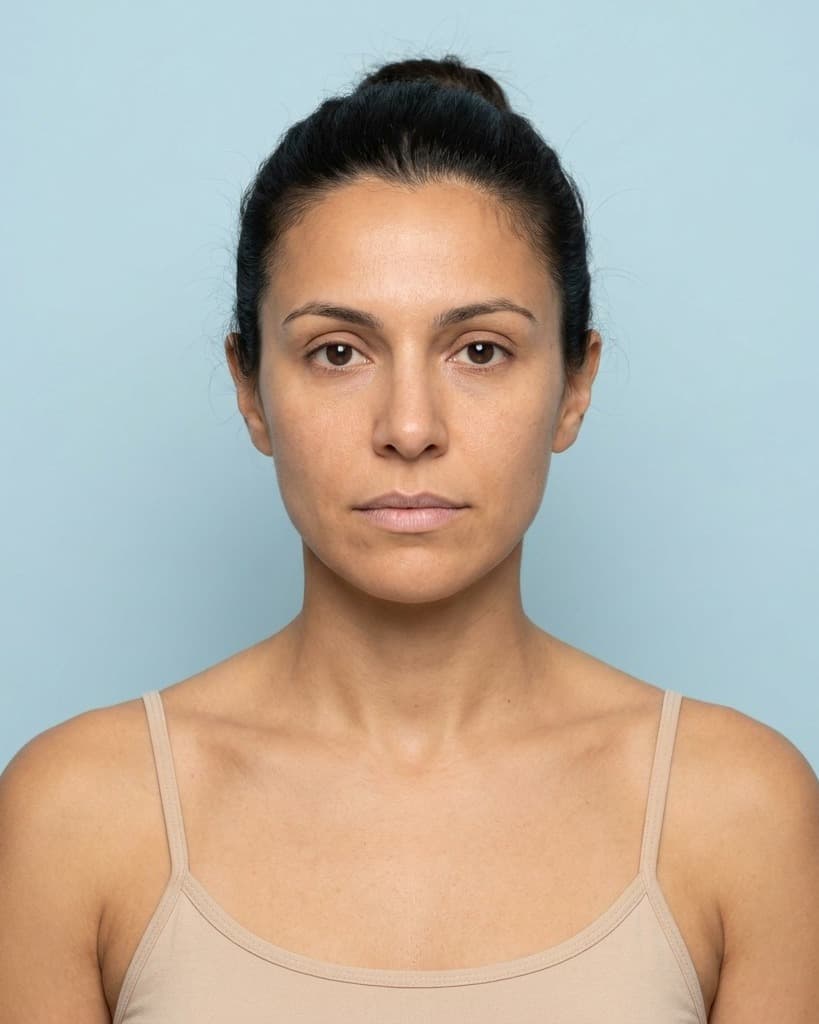 Before
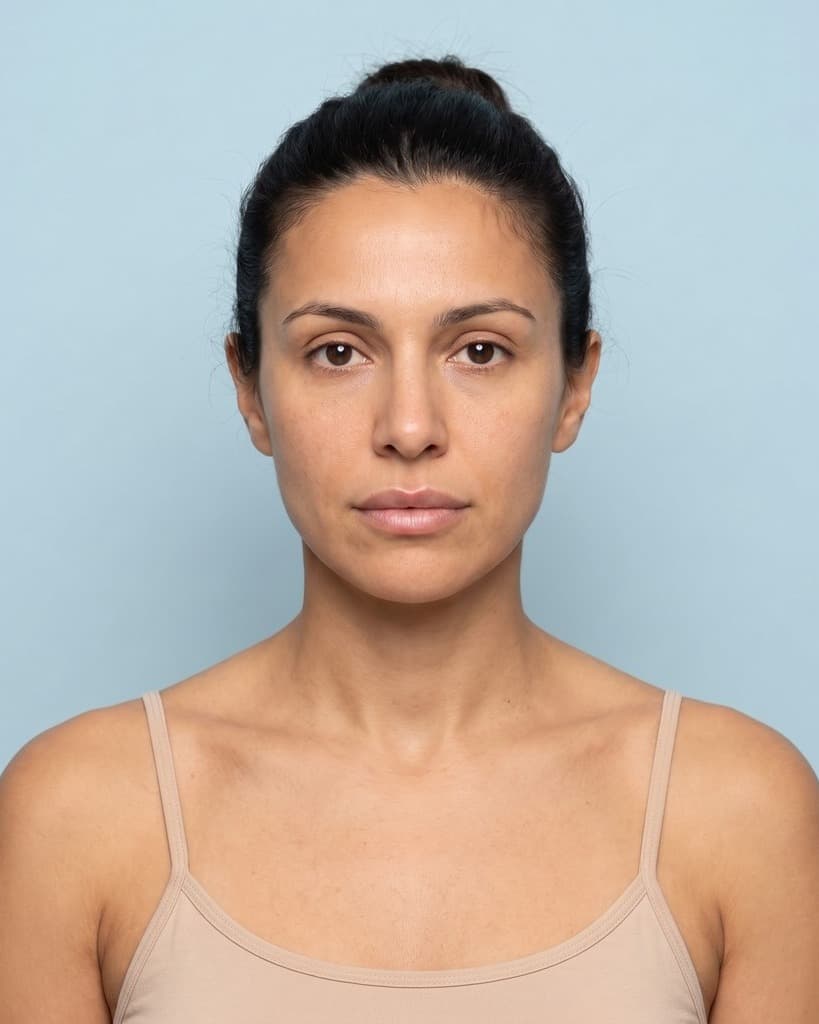 After
AfterWhat it cannot tell you
A preview is not a clinical assessment
- The preview is an AI-generated visualization of how the selected treatment could look.
- It is not medical advice and does not diagnose, determine candidacy, choose a dose or product, or assess contraindications or recovery.
- Individual results vary and are not guaranteed; a licensed provider must assess what is appropriate for you in a real consultation.
Photo handling
Permission before processing
Eva asks for the displayed photo-and-consultation permission before capture. The public flow does not authorize model training, and a separate unchecked contact choice is required only when the visitor reveals the preview.
Frequently asked questions
About this lip filler preview
Can the simulator tell me how much filler I need?
No. Only a qualified provider can assess anatomy, goals, product choice, and amount. The preview communicates a visual preference; it is not a dosing or treatment recommendation.
What does the preview show?
Eva uses advanced AI and one photo to visualize a possible result for the treatment you selected. It is not medical advice or a clinical recommendation. Individual results vary with anatomy, treatment plan, technique, and healing, are not guaranteed, and require a licensed provider's assessment.
Do I need an account?
No. Eva's public preview is free and does not require an account. Photo processing and storage require the displayed photo-and-consultation permission before capture.
What happens to my photo?
Eva uses the photo under the displayed permission to create and store the requested preview and support the related consultation workflow. It is not authorized for model training. You can request deletion, and the public Photo & AI Notice explains the retention boundary.
Explore other illustrative previews
What else would you like to preview?
For aesthetic practices